Appointment Types in Scheduling
Last updated: August 11, 2026
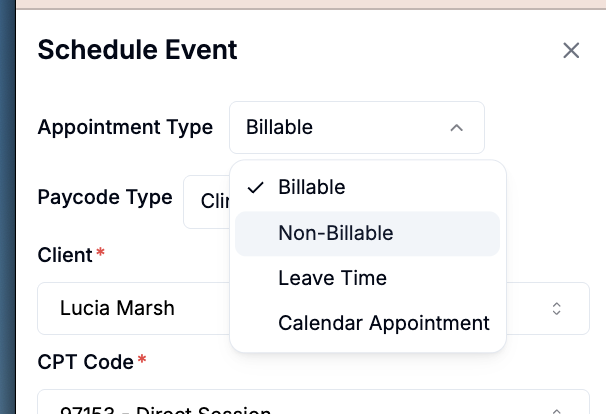
Every appointment in Alpaca is one of three things, and which one it is decides whether it can be billed, whether it produces a session note, and how the person who worked it gets paid.
Bills insurance | Needs a session note | Pays the clinician | |
|---|---|---|---|
Billable appointment | Yes | Yes | Yes — once the note is signed |
Non-billable appointment | No | No | Yes — once the appointment is approved, based on the Paycode assigned to the appointment (which can be changed). |
Calendar appointment | No | No | No |
There is a fourth type: Leave Time that is covered here: 📄 How to Use the Time Off / Leave Time Feature in Alpaca Health
Picking the wrong one is the most common cause of “my hours are wrong this period.”
Where to find it: sidebar → Organization → Schedule, then create or open an
appointment.
Billable appointments
These carry a CPT code, generate a session note, and once signed, become a claim. Alpaca supports:
Code | Shown as | Notes |
|---|---|---|
97151 | Parent Interview | Assessment |
97152 | Supporting Assessment | Assessment |
97153 | Direct RBT Session | The core treatment code |
97154 | Group RBT Session | Group |
97155 | Protocol Modification | Links to the 97153 it supervises |
97156 | Parent Training Session | |
97157 | Group Parent Training | Group |
97158 | Group Protocol Modification | Group |
T1026 | State-specific | |
0362T | Joint Supporting Assessment | Two clinicians |
0373T | Joint Direct Session | Two clinicians |
Not every payer accepts every code, and some pay them in ways that surprise people —
see Payer-specific rules.
→ 📄 6.1 Learn the ABA billing codes
Non-billable appointments
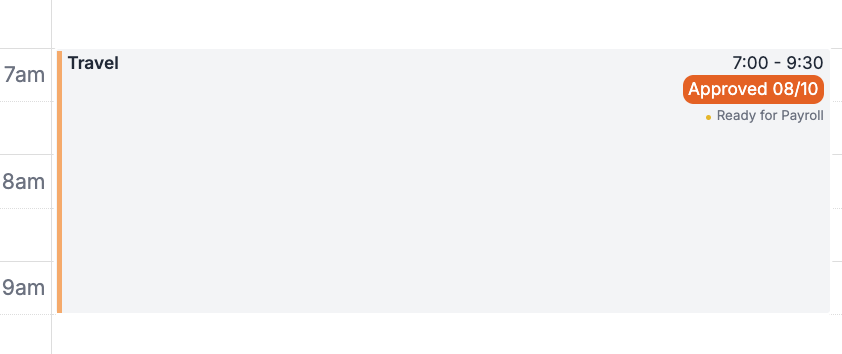
Real, paid work that no payer reimburses. They don’t produce a session note and never reach a claim — but they do reach payroll. The appointment type you pick is separate from which pay code the hours land in, and pay codes can be paid at different rates.
The one thing to know: the fourteen types collapse into a handful of pay codes.
Choosing Materials Management over Internal Meetings changes what your reports
say, but not what the person is paid.
Note: Choosing Travel changes the default pay code to Drive Time Rate.
→ 📄 Appointment type vs. pay code
→ 📄 5.3 Schedule admin and non-billable time
Calendar appointments
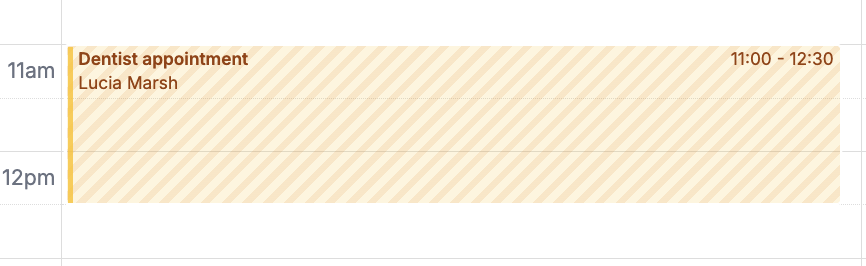
Plain entries on the calendar for things that aren’t your practice’s work at all —
“client is with their OT,” an office closure, a team offsite. No note, no claim, no
payroll.
→ 📄 How to use Calendar Appointments?
Rule of thumb: How to choosing the right appointment type?
It bills insurance → billable, pick the CPT code.
Your staff are being paid but no payer will reimburse it → non-billable, then check
the pay code.
Nobody is being paid and nothing is being billed — you just want it visible on the
calendar → calendar appointment.
Frequently Asked Questions (FAQ)
Why are non-billable hours are missing from someone’s pay.?
Check the pay code on the appointment, not the type. Several types map to Admin
Hours, and if the worker’s admin rate is $0, the hours show but the money doesn’t.
Why did two overlapping appointments only paid once?
Overlapping time is counted once per pay code, not added together. Two
overlapping admin appointments 9–10 and 9:30–10:30 pay 1.5 hours, not 2.
Why did payroll not include some billable hours?
Billable hours pay on signed notes. An unsigned note is tracked separately and
doesn’t pay until it’s signed.
Why did my calendar appointment not show up in payroll?
Calendar appointments never reach payroll. If it should be paid, it needs to be a
non-billable appointment.
Related
What’s new
2026-08-09 — Article published.