Your Care Team
Last updated: August 21, 2026
Your care team is the group of Alpaca Health clinicians responsible for your child's ABA care — most importantly your supervising BCBA and your RBT. You can see them at a glance in the Care team widget on your parent-portal home page, and open a clinician's profile to learn more about them.
Find the Care team widget
Log in to the Alpaca Health parent portal. You'll land on the home page (the Overview tab at the top of the left sidebar). If you have more than one child, choose the right child from the row of tabs across the top first.
Heads up:The widget always reflects whichever child is selected at the top. If you manage more than one child, confirm the name before reading it.
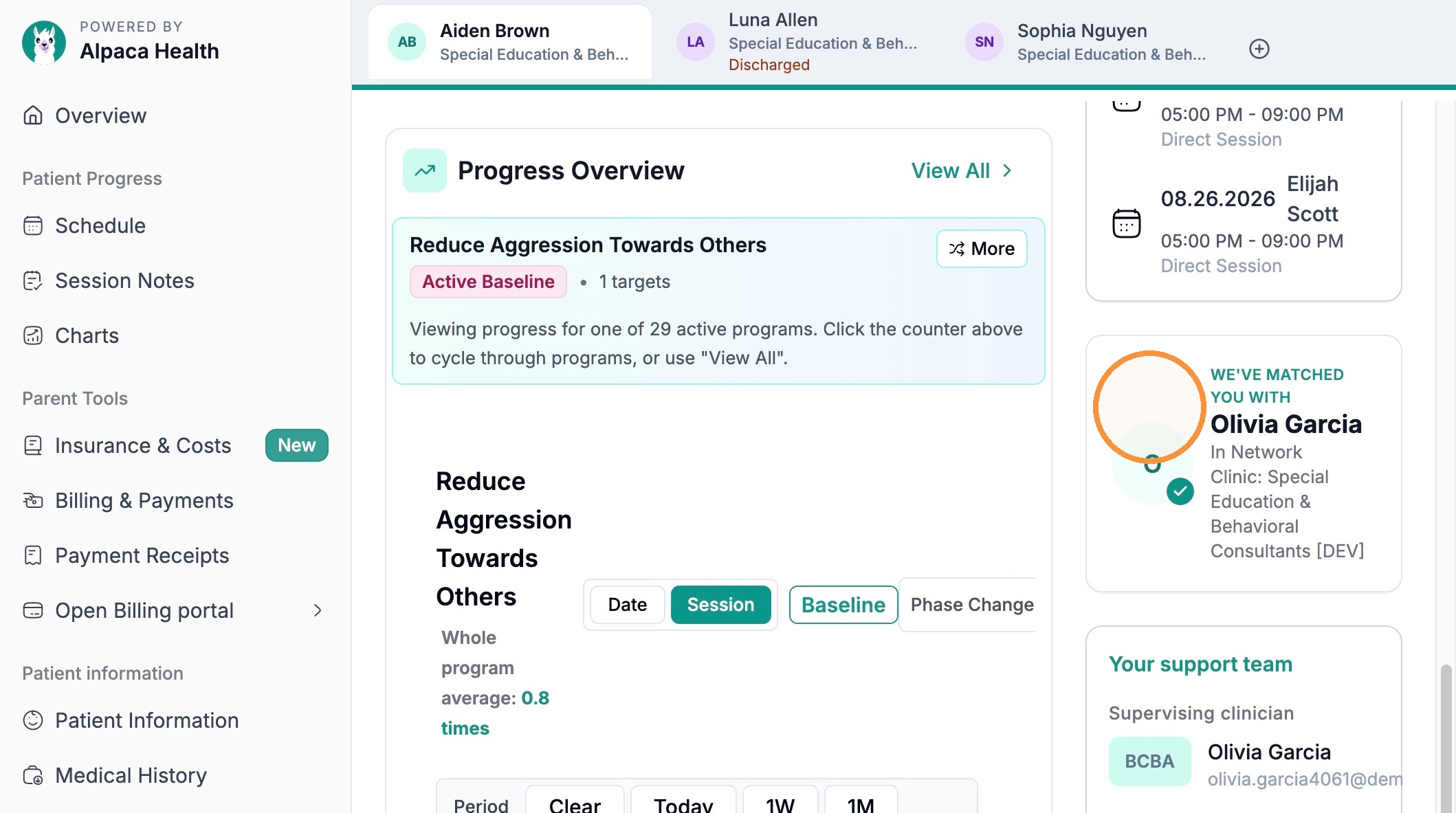
Scroll down the home page. The Care team widget sits in the bottom-right corner, below the green “Refer a friend to Alpaca!” card.
Tip:It's the last card on the page, so scroll all the way to the bottom if you don't see it right away.
What the widget shows
The Care team widget lists everyone on your child's Alpaca Health care team and their current status. At a glance you'll see:
Your supervising BCBA — the Board Certified Behavior Analyst who designs and oversees your child's treatment plan.
Your RBT — the Registered Behavior Technician who runs the day-to-day therapy sessions under the BCBA's supervision.
In-network status — whether these providers are in network with your insurance plan.
Clinic / organization — the name of the practice providing your child's care.
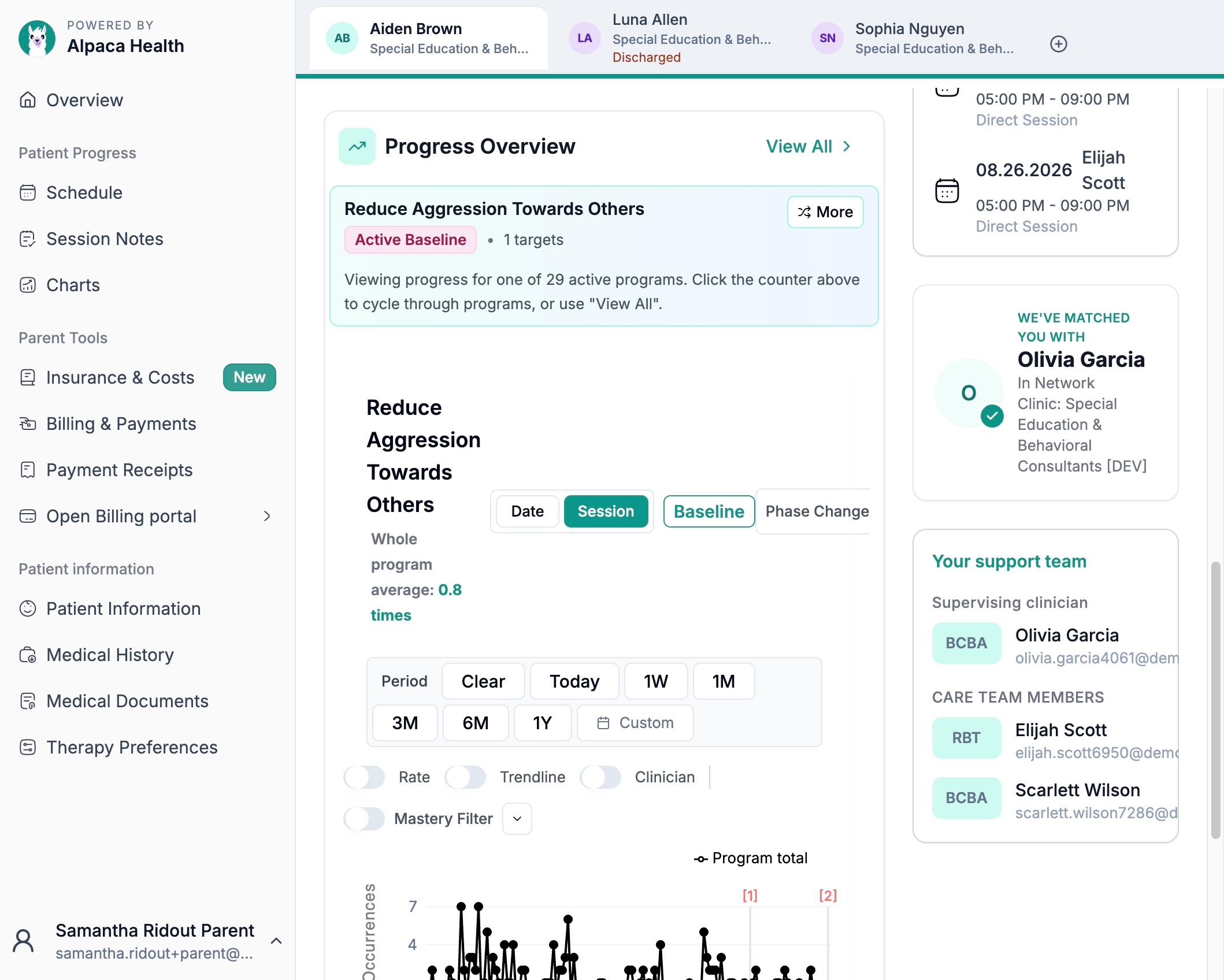
Note:BCBA vs. RBT: the BCBA is the supervising clinician who builds and adjusts the treatment plan; the RBT is the technician who delivers the sessions. Both are part of your care team — don't mistake one for the other.
Tip: In-network means the provider has an agreement with your insurance, which usually means a lower out-of-pocket cost. For the cost details, open Insurance & Costs in the left sidebar.
Open a provider's profile
To see more about a clinician — for example your supervising BCBA — click their name (or their card) in the widget. This opens their provider profile within Alpaca Health.
[ Screenshot to add — Clicking the BCBA's name in the widget opens their provider profile. ]
The provider profile shows more detail about that member of your care team, so you can confirm who is overseeing your child's care.
[ Screenshot to add — The provider profile page for your BCBA. ]
Note:If a name isn't clickable or a role is blank, that provider may not be assigned yet — contact your clinic if you expect someone to be listed.