Adding a Sibling in the Parent Portal
Last updated: August 21, 2026
If you have more than one child receiving care through Alpaca Health, you can add each of them to your parent portal so you can manage everyone from a single login. This guide shows you how to add a sibling in just a few clicks.
Each child you add appears as their own tab along the top of the portal. You switch between children by clicking their tab, and each child keeps their own schedule, notes, billing, and paperwork.
Add a sibling
You add a sibling right from your portal homepage — there's no separate settings menu to hunt for.
Go to your parent portal homepage. Click Overview at the top of the left sidebar if you're not already there. Across the very top of the screen you'll see a tab for each child already on your account.
Your children appear as tabs across the top. The + button sits just to the right of the last child.
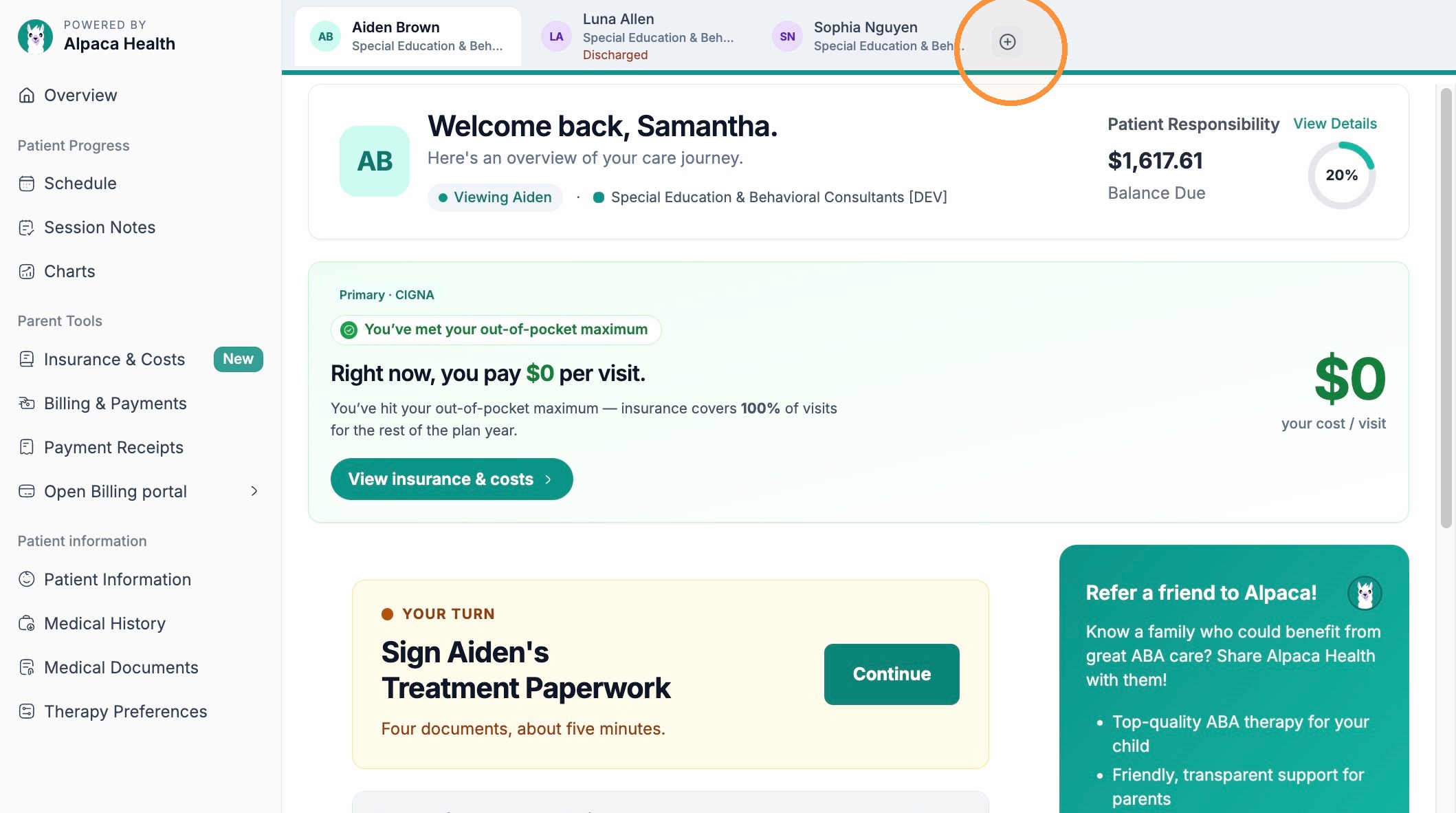
In that top bar, click the + (plus) button to the right of your children's tabs. This opens the Add a Child form.
Tip:The + button is the round plus icon at the end of the row of child tabs — not anything in the left sidebar. If you don't see it, scroll the page to the top.
A window will populate prompting you to fill out the required fields. This includes:
Your child's name, DOB, address
Insurance Provider and ID cards
Diagnosis (and supporting documents if necessary)
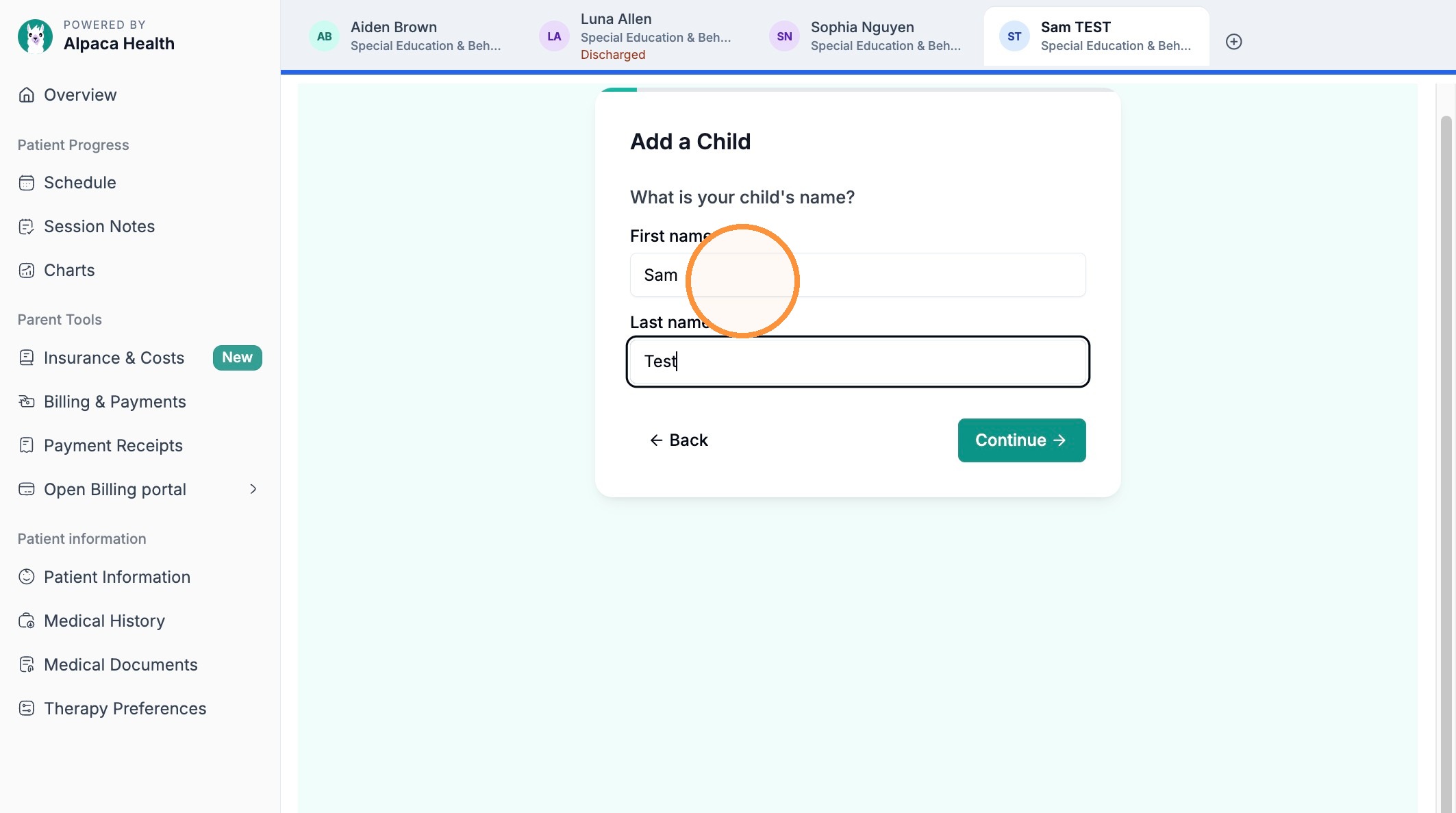
Click Continue to submit. (Use Back if you need to return to the previous step).
A new profile tab for your child's sibling appears in the top bar, right next to your other children. Click that tab any time to switch to the new child and manage their schedule, notes, and billing.
Note:Double-check the spelling of the name before you continue — it becomes the child's profile name and is shown on their tab. Reach out to your care team if you need a name corrected later.
FAQs
Can I add more than one sibling?
Yes. Repeat the same steps for each child. Every child you add gets their own tab in the top bar, and you switch between them by clicking their tab.
Does adding a sibling change my other child's information?
No. Each child has a completely separate profile — their own schedule, session notes, billing, and paperwork. Adding a sibling never affects your other children's records.