5.3 Schedule admin and non-billable time
Last updated: August 10, 2026
What This Covers
Not everything your team does is a billable therapy session. Training, drive time, clinical programming, team meetings, and general admin work are all non-billable time. Insurance doesn't pay for it, but Alpaca still tracks it so it flows to payroll and shows up on the schedule. This article covers how to schedule non-billable time and how it gets approved.
(Time off / PTO is handled separately — see the Time Off articles.)
📄 How to Use the Time Off Feature in Alpaca Health
How to Schedule Non-Billable Time
Go to the Schedule page and click Schedule Event (or click/drag directly on the time slot you want).
In the Appointment Type dropdown, choose Non-Billable. (The three options are Billable, Non-Billable, and Leave Time.)
A Type picker appears. Choose the category that fits the work:
Training
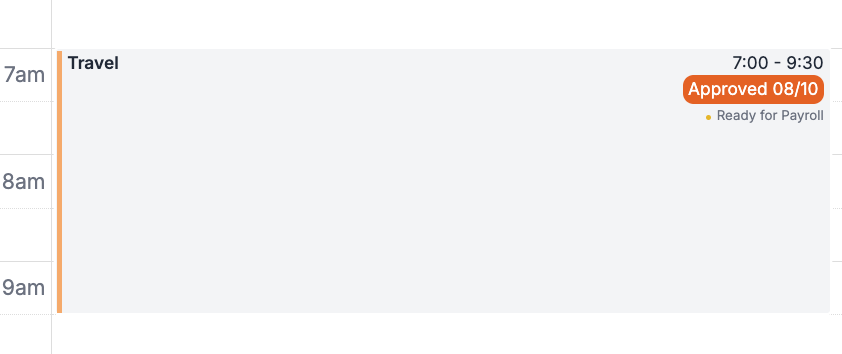
Travel (drive time)
Admin
Non-Billable Appointment
Materials Management
Clinical Programming
Staff Engagement
Client/Family Engagement
Internal Meetings
Set the date and time (or set it to repeat if it's recurring). For non-billable time, Client and Location are optional.
Optionally add a note in Request Context so whoever approves it knows what it's for.
Click Schedule (or Schedule Series for a recurring event).
Approval
Non-billable time goes through a quick approval step so it can be paid correctly:
Pending → Approved → VerifiedA new non-billable appointment starts as Pending. If you're an admin, your own non-billable time is approved automatically (unless it overlaps another appointment).
Everyone else's non-billable time waits for an approver. Approvers see it as a request card on their Home page and on the appointment itself on the schedule, with Approve, Reject, and Request Changes buttons.
Whether you can approve or verify others' requests depends on your role and permissions in your org. If you can't, your request simply goes to an admin/director to approve.
How It Gets Paid
Only Approved or Verified non-billable time flows to payroll. Pending, rejected, or needs-changes time does not.
The pay period is the later of when the work happened and when it was approved/verified. This prevents backdating — if something is approved late, it's paid in the period it was approved, not when it occurred.
The category maps to a pay rate automatically: Training uses the training rate, Travel uses the drive-time rate, and everything else non-billable uses the admin rate. Admins can override the pay bucket (Paycode Type) on the appointment if needed.
Tip: make sure each team member's training, admin, and drive-time rates are set on their profile, or their non-billable hours may be paid at $0.