4.2 Setting up Cal.com Referrals
Last updated: July 21, 2026
Overview
We use a scheduling system called Cal.com to book Initial Consultation from Alpaca's Referral Engine, RBT Interviews from Alpaca's Recruitment Engine, and Initial Assessments.
Cal.com pulls your available from configured settings and from your digital calendar (ie Google Calendar) so that prospective families and RBTs can book directly on your calendar. You have total control over your calendar through the configurations of Cal.com.
If you don't see an invite to Alpaca Health's team on Cal.com, please email support@alpacahealth.io
Setting Up Availability
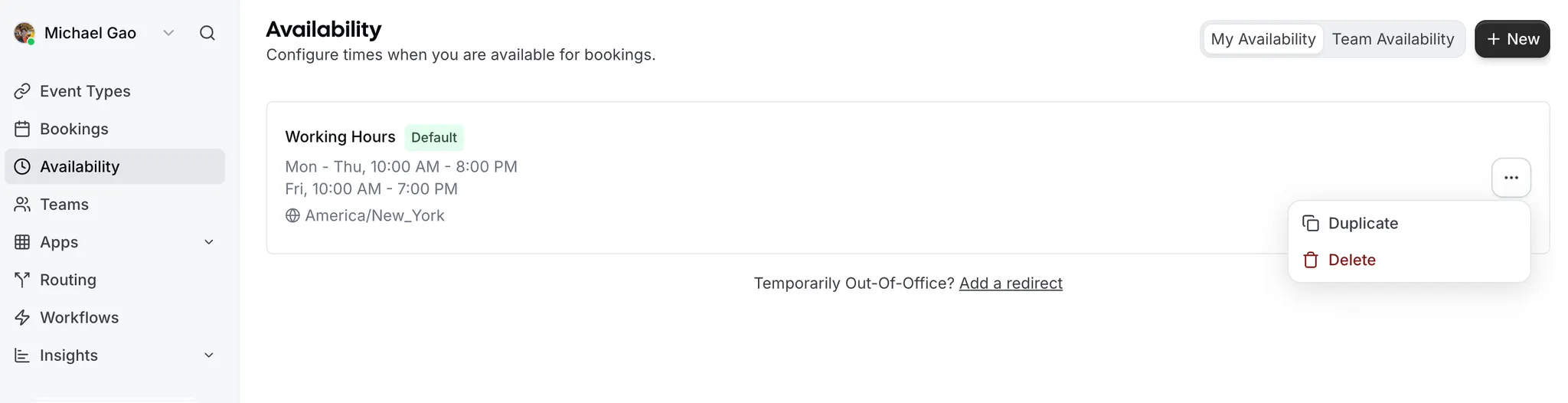
1. Set up your availability
2. Connect your calendars (in settings)
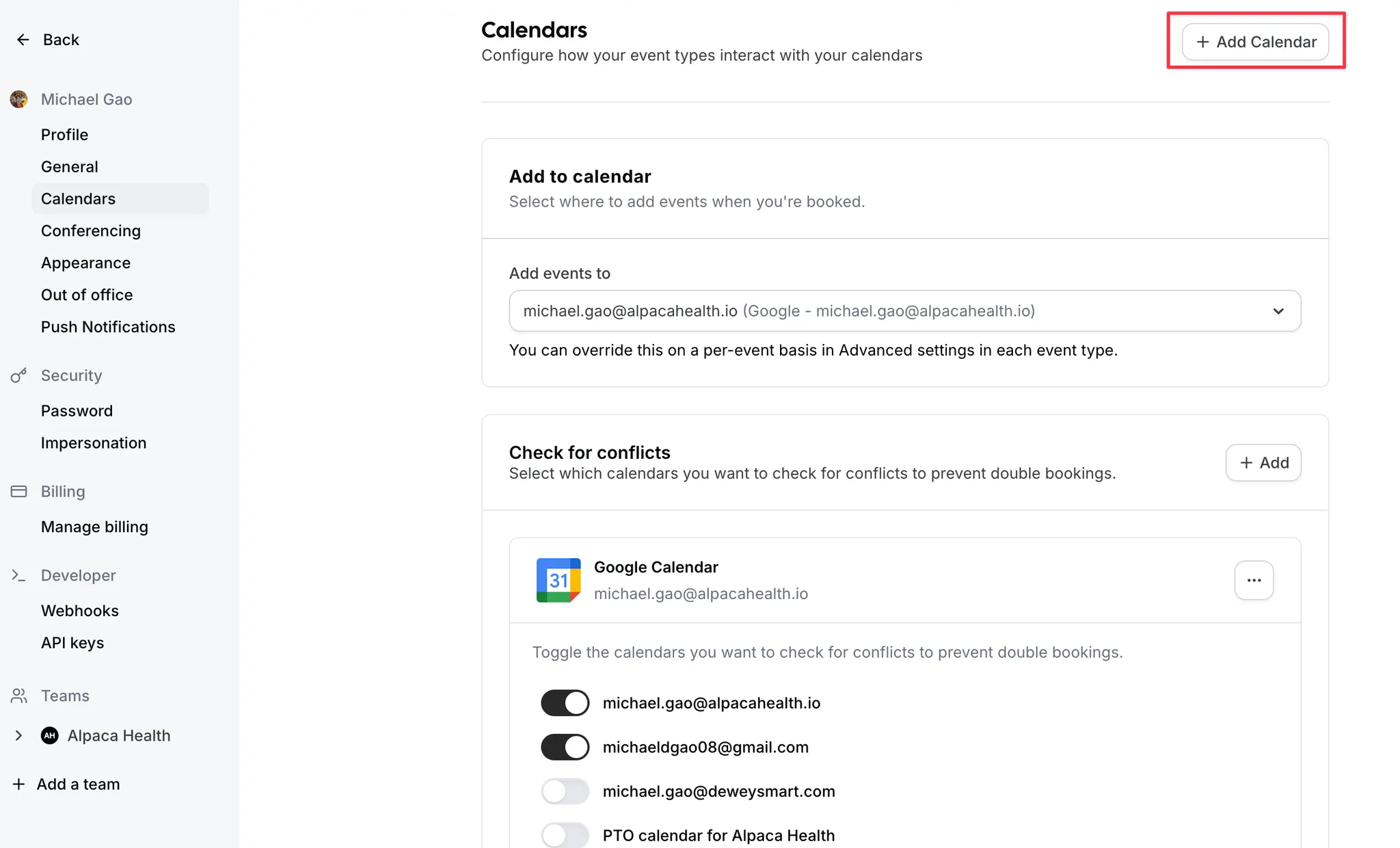
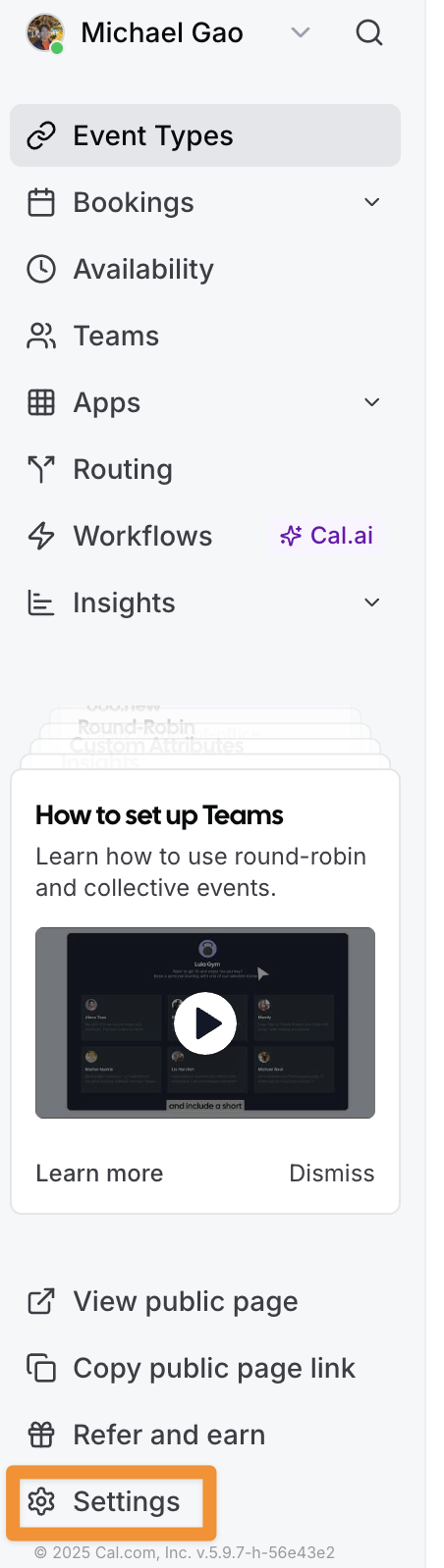
Settings is in the bottom left hand corner.
Once your there, you can go to the Calendars tab. You can then make sure that meetings are being added to the appropriate calendar. And, you can bring in events from other calendars to make sure that this time is not being offered to clients.
3. Test your availability
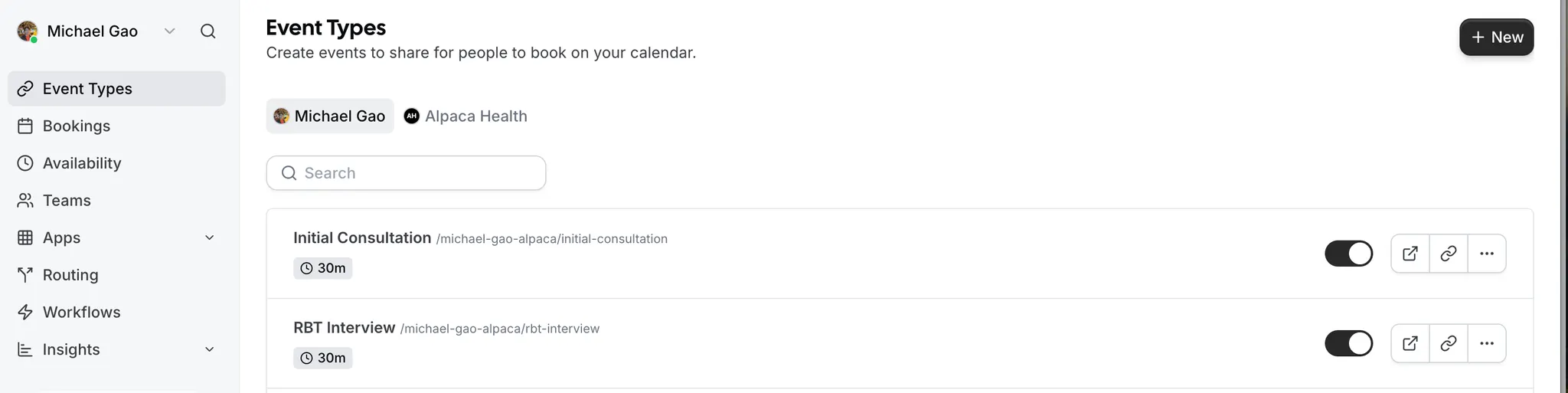
On your home screen, you’ll have two default types:
Initial Consultation - where we will book initial consult calls.
RBT Interview - where we will book any meetings with potential BTs
If you click the square with an up arrow, you’ll see what potential clients will see + can make sure the availability is accurate.
Changing Your Email
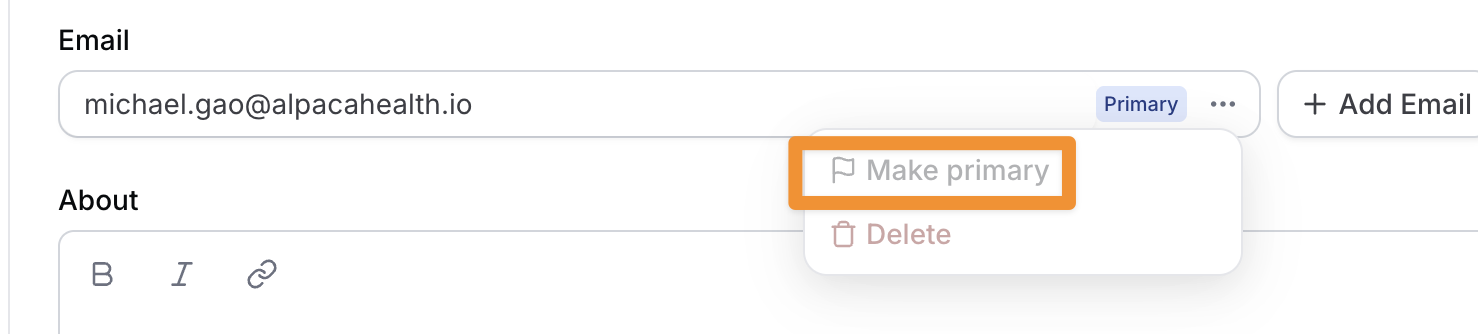
If you have a new email (ie a business email) that you'd rather use instead, changing your email on Cal.com is simple.
First, click Settings
Second, click add email on the Profile page
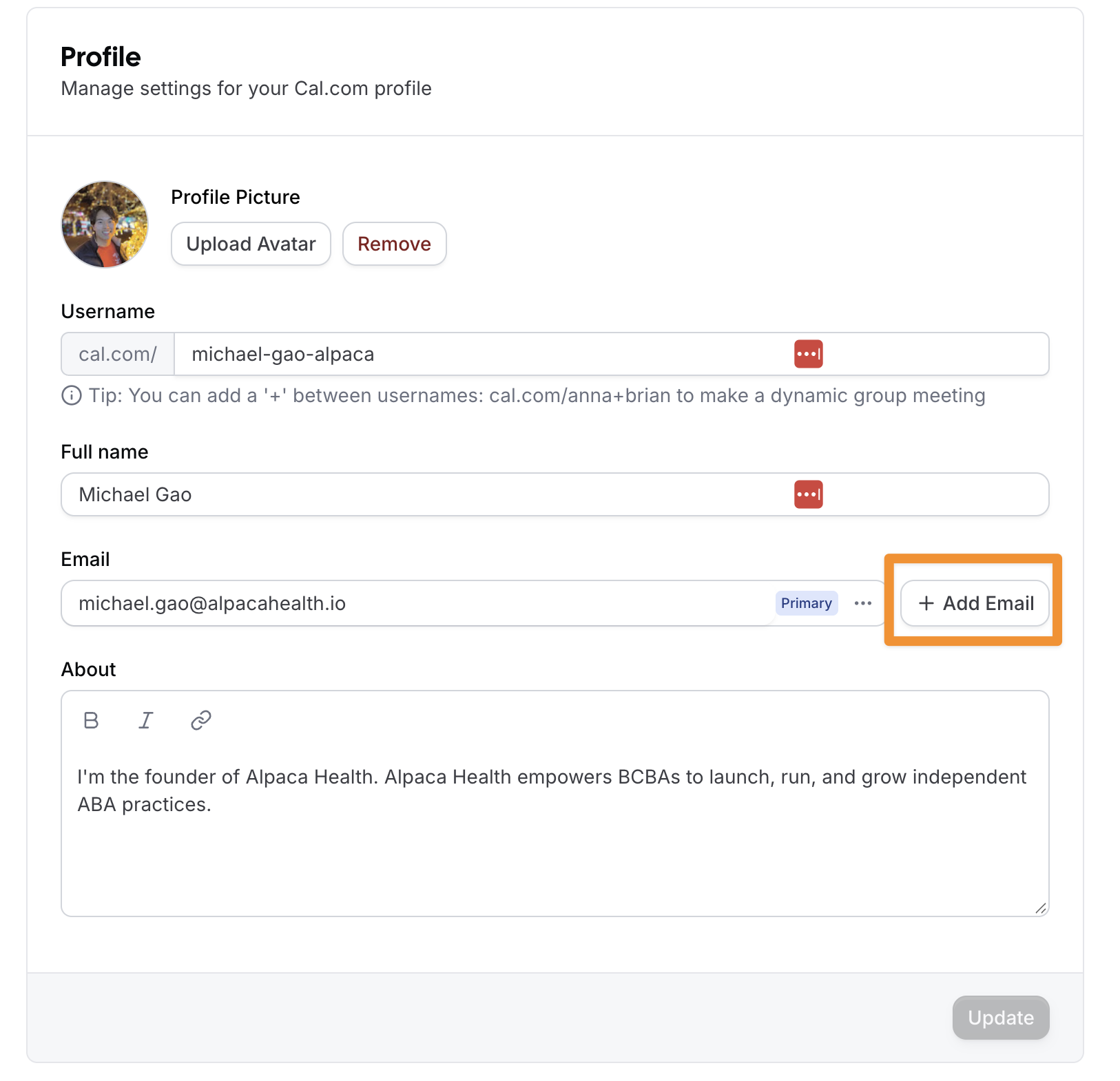
Last, you can click the Make Primary button.