Programs and Goals
Last updated: August 26, 2026
Program types, targets & programming options
A reference for the building blocks behind every Alpaca program: the four program types, targets and their criteria, the Program Info panel technicians use, programming hints and protocols, and how chaining methods apply to Task Analysis programs.
This article explains the concepts you'll choose between while building programs. For the click-by-click workflow of creating a program, see the companion article, “6.2 Create clinical programs & goals.”
1. Program types
Every program has a Program Type, chosen in the Create New Program panel. The type determines which sub-tab (Behavior, Skills, Parent, or ABC) the program lives under.
The Program Type field in the Create New Program panel.
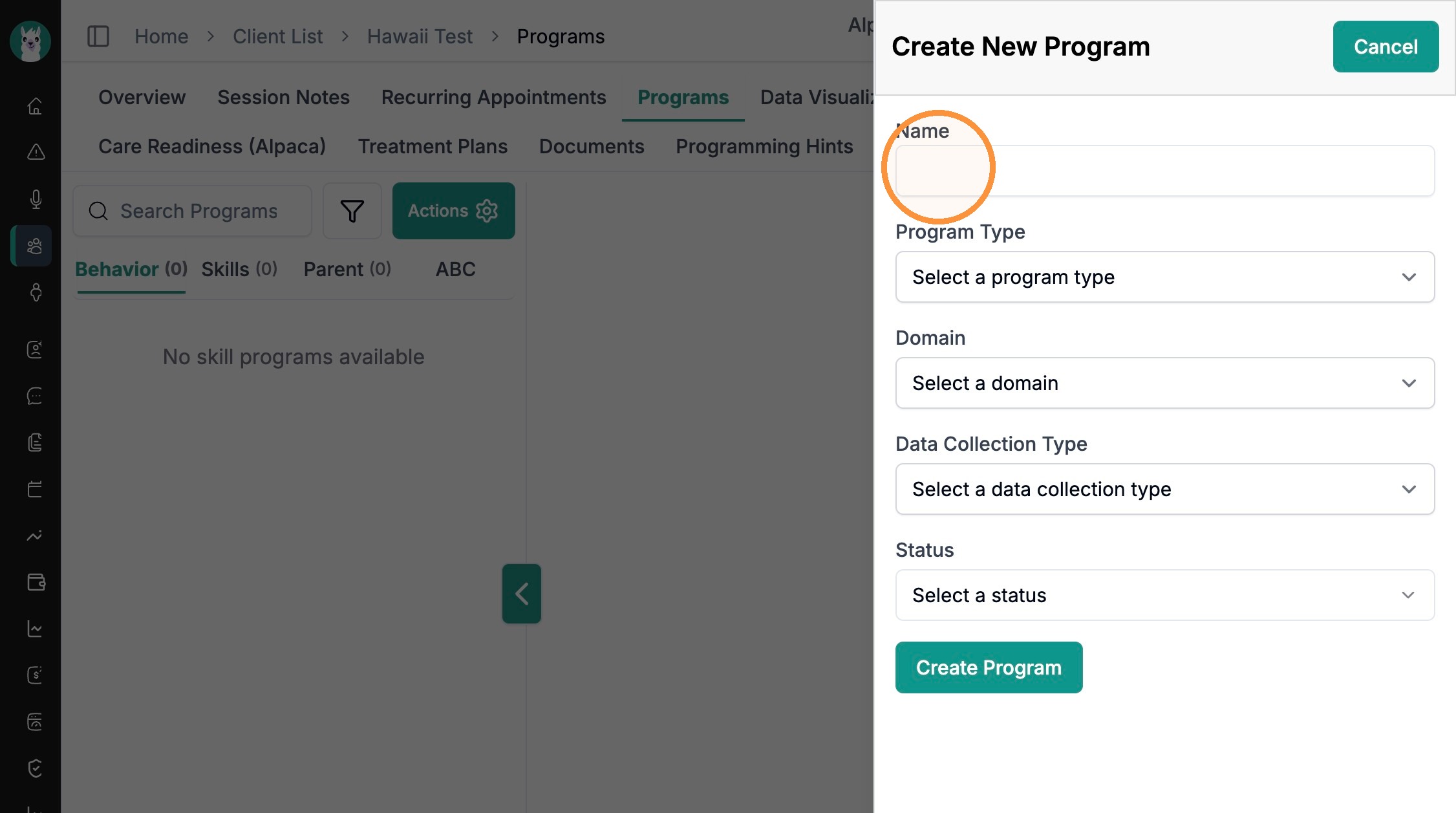
Skill Acquisition
Teaches a new skill you want the learner to do more of. Skill-acquisition targets are set to Increase. These programs appear under the Skills sub-tab and pair with data types such as Trials with/without Prompting, Task Analysis, Likert Scale, and Duration.
Program Type set to “Skill Acquisition.”
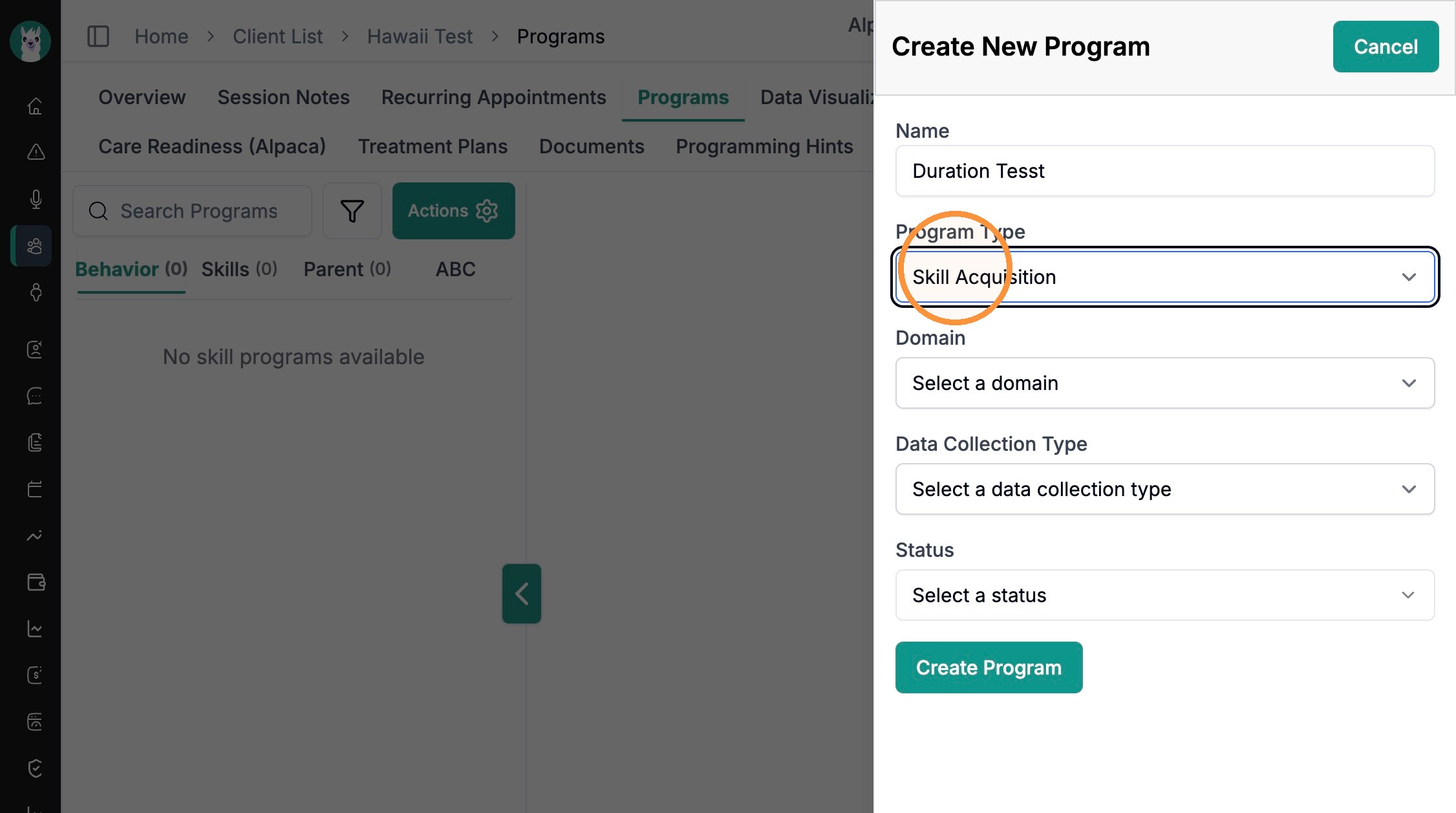
Behavior Reduction
Targets a challenging behavior you want to decrease (for example, tantrums or elopement). Behavior-reduction targets are set to Decrease and appear under the Behavior sub-tab. They commonly use Frequency Based, Duration Based, or Intervals data collection.
Program Type set to “Behavior Reduction.”

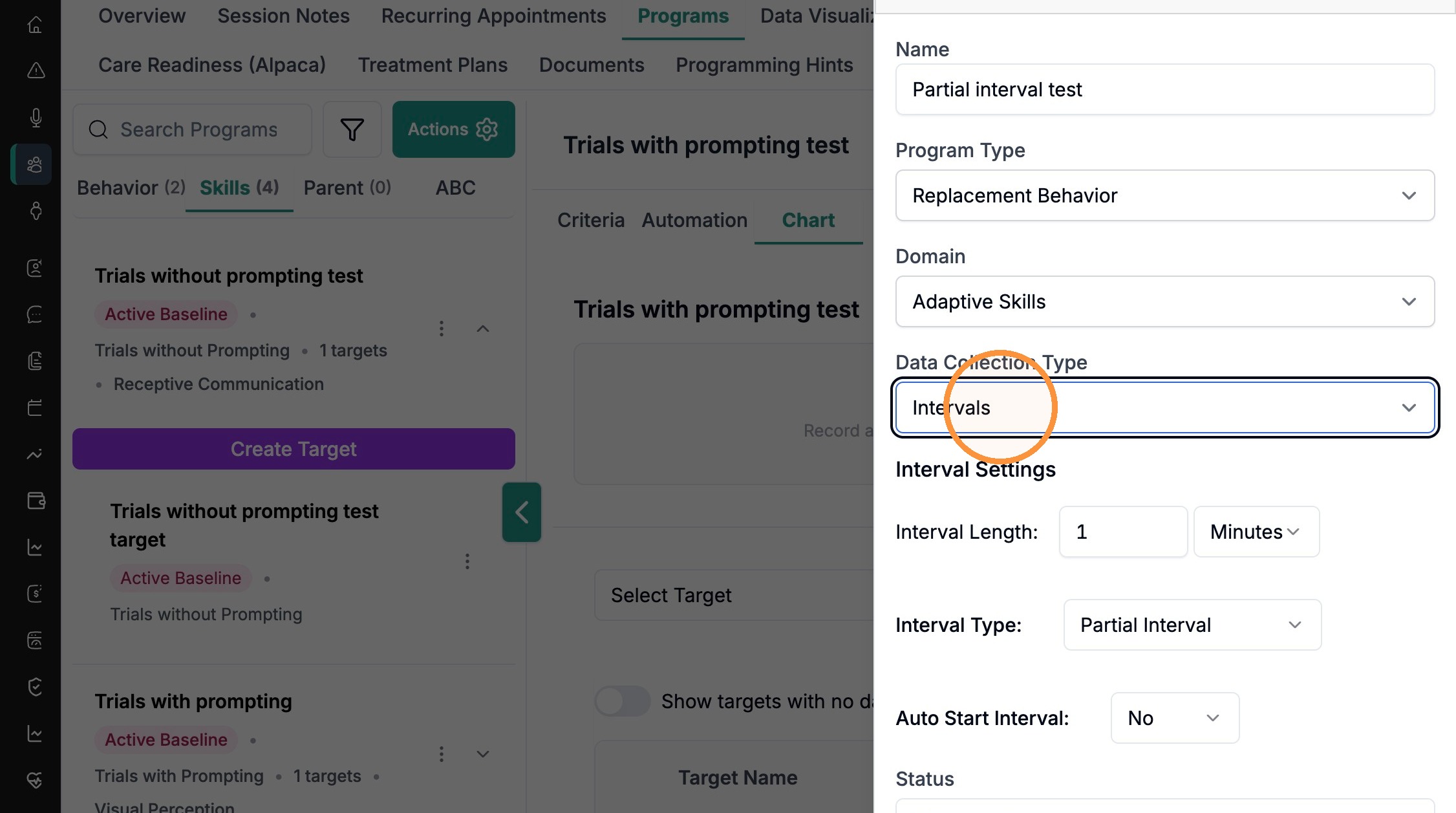
Replacement Behavior
Teaches an appropriate behavior that serves the same function as a challenging behavior — so the learner has a better way to get the same result. Replacement-behavior programs often pair with the Intervals data-collection type, which adds Interval Length, Interval Type (Partial Interval or Whole Interval), and Auto Start Interval settings.
Program Type “Replacement Behavior” with the Intervals settings (Interval Length, Interval Type, Auto Start Interval).
Parent Training
Captures goals you work on with a caregiver rather than directly with the learner. Parent programs appear under the Parent sub-tab, and during a session a dedicated Parent Training area lets you keep a programming-hints document for caregiver notes and guidance (see Section 4).
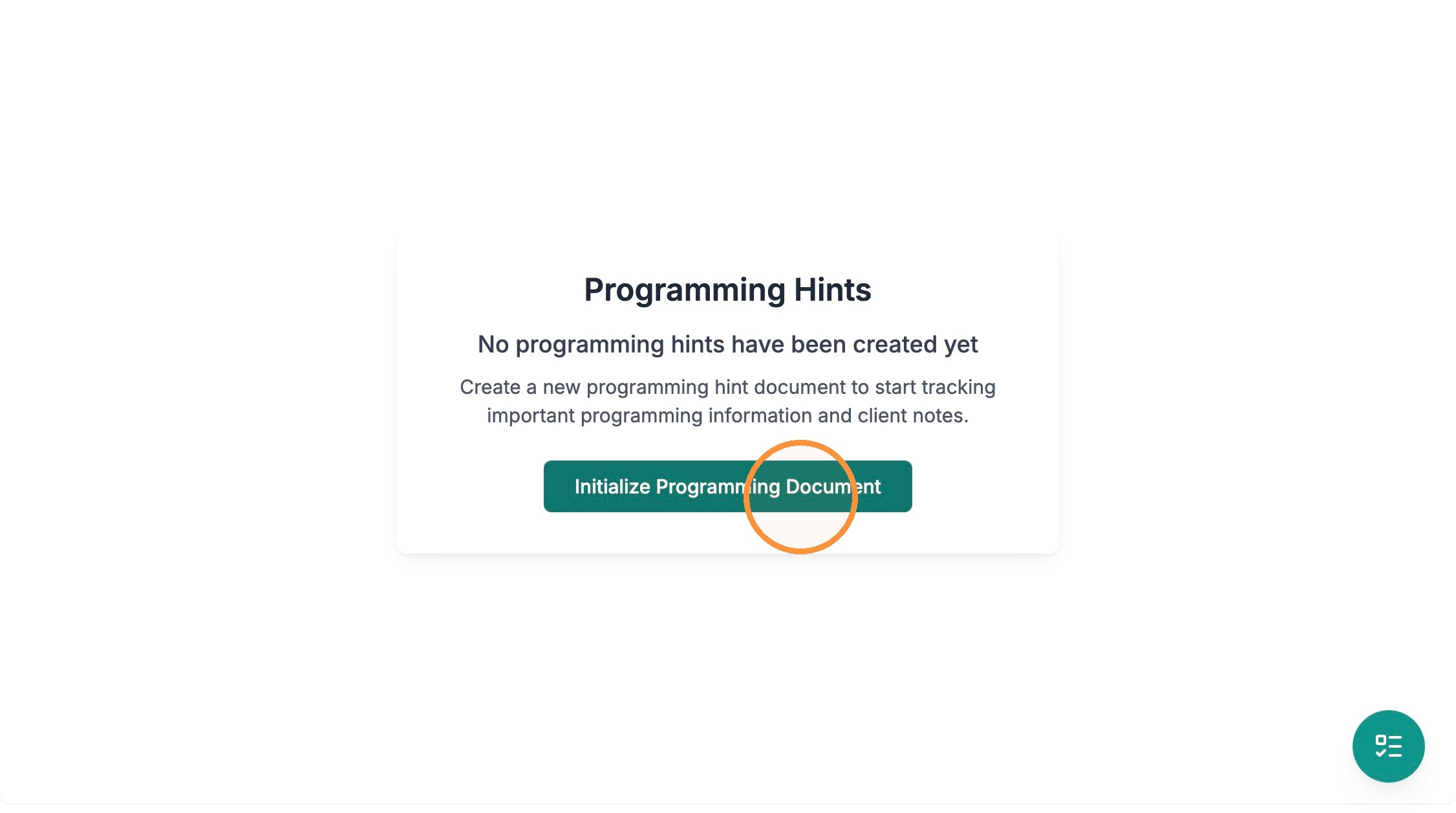
The Parent Training area in a session, where you start a programming-hints document with “Initialize Programming Document.”
WARNING Choose the Program Type deliberately — it sets the target's default direction (Increase vs Decrease) and which sub-tab the program lands under. Changing course later usually means recreating the program.
2. Targets and target criteria
A target is a single measurable goal inside a program; a program can hold several. Each target is defined in the Create Target panel.
Target fields:
Target Name & Description — what's being measured.
Target Status — usually Active Baseline for a new target.
Behavior is to: Increase or Decrease.
Mastery and maintenance criteria
Criteria are written as a sentence with editable numbers and units. Mastery Criteria define when a target is learned; Maintenance Criteria define the (usually lower) bar to confirm it stays learned. The wording adapts to the data-collection type:
Duration — “Engage in 5 minutes per session for 3 consecutive sessions.”
Trials — “80% accuracy across 3 consecutive sessions with at least 5 trials per session.”
Task Analysis — “80% independence across 3 consecutive sessions…”
Intervals — “80% occurrence of intervals across 3 consecutive sessions.”
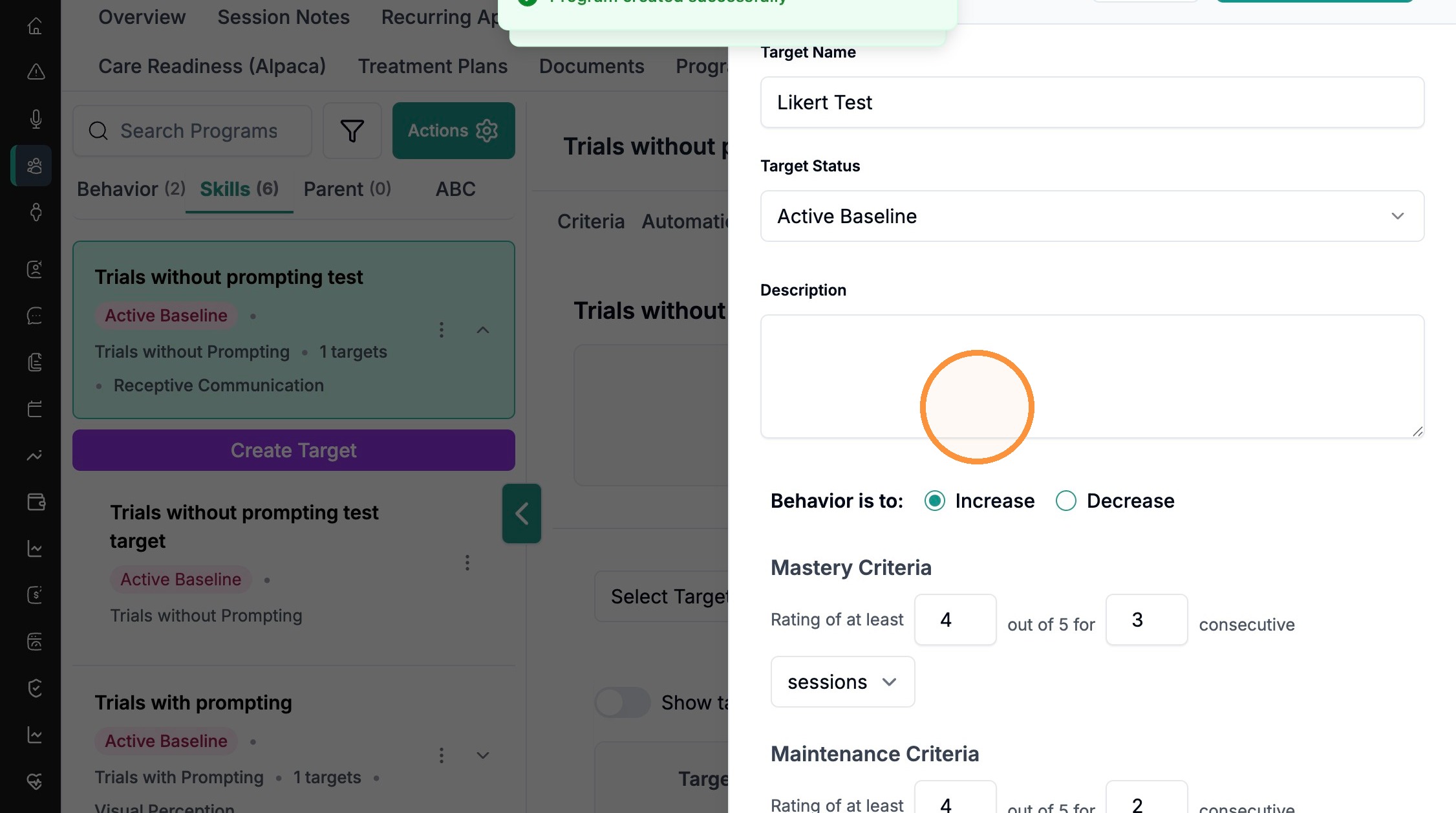
Likert Scale — “Rating of at least 4 out of 5 for 3 consecutive sessions.”
Mastery and Maintenance Criteria on a duration target, with the Increase/Decrease choice above them.
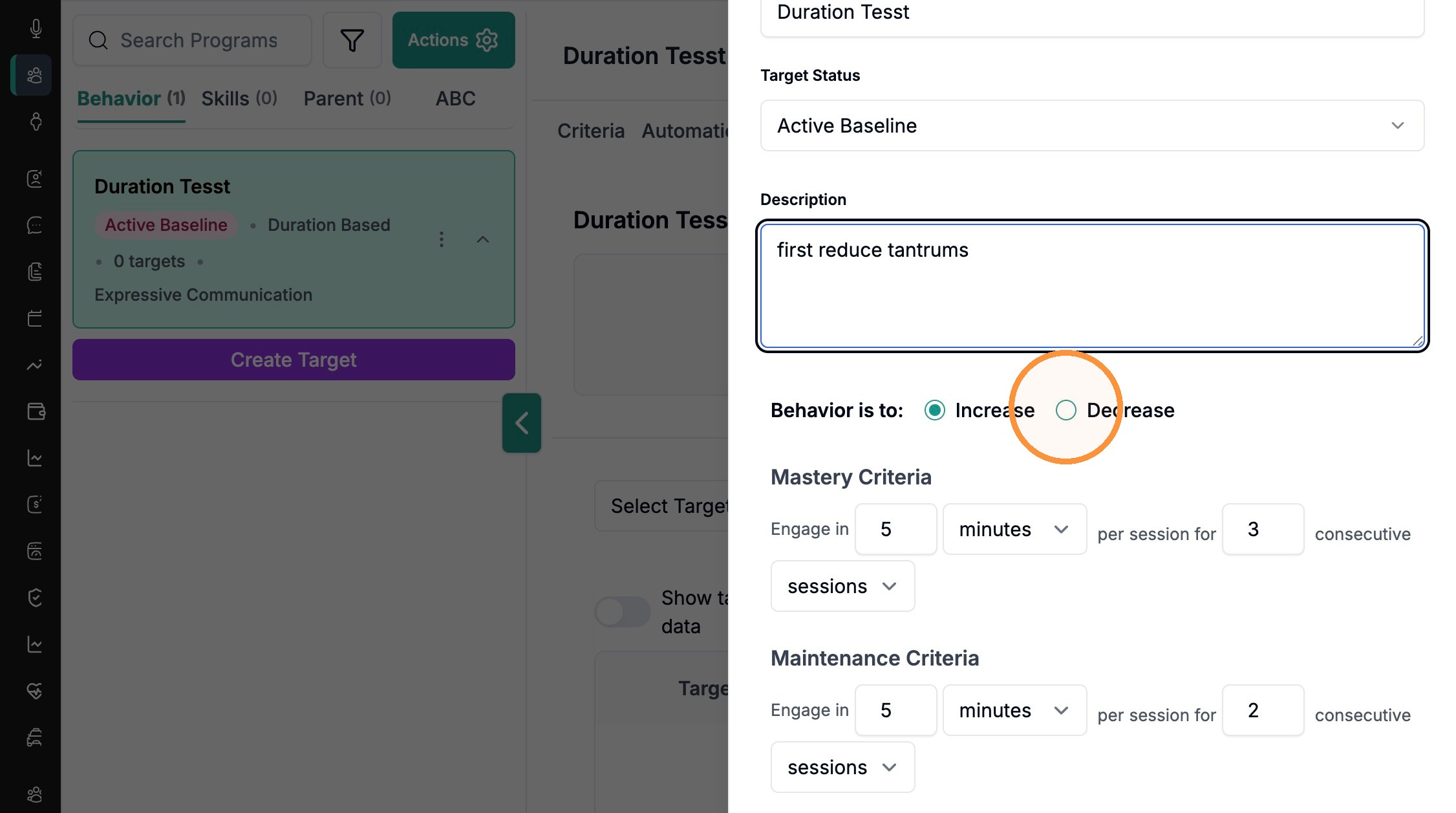
The same criteria area on a Likert target — note how the wording changes to “Rating of at least 4 out of 5.”
Maintenance schedule
For targets that will move to maintenance, the Maintenance Schedule (“Every N days / weeks / months / sessions”) sets how often maintenance data is due. Alpaca notifies clinicians when an assessment comes up.
Program-level criteria
Separate from each target, a program's Criteria tab governs the whole program: Baseline Criteria (data required to advance from baseline to intervention), Program Mastery Criteria, and Program Maintenance Criteria (how many targets must be mastered / maintained).
The program-level Criteria tab.
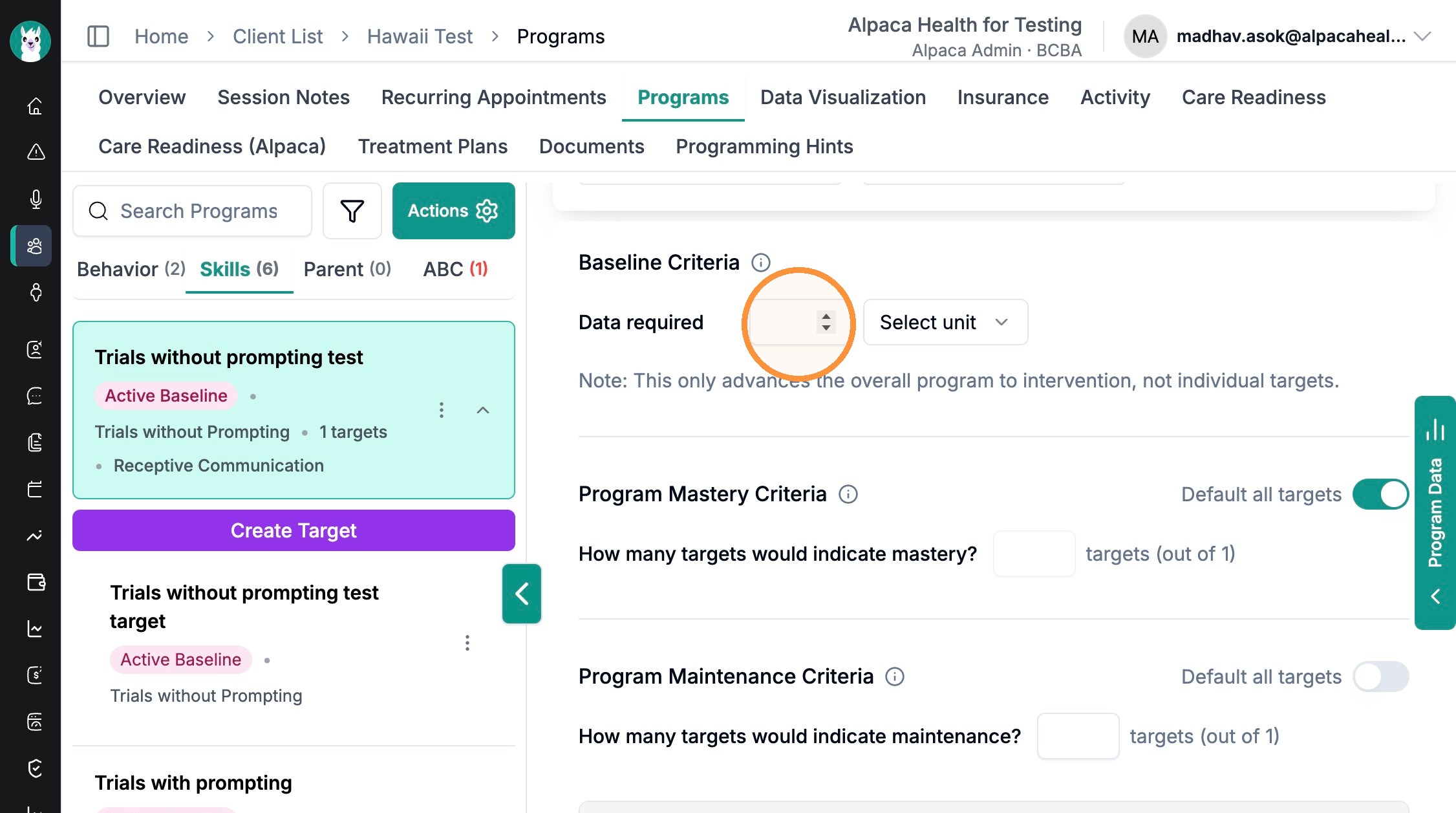
NOTE Baseline Criteria advance the overall program to intervention — not individual targets. Each target still masters on its own criteria.
3. The Program Info panel
During a data-collection session, every program shows an (i) Program Info button next to its name. Tapping it opens a panel — titled with the program name — that gives the technician everything they need to run the program correctly, without leaving the session.
The Program Info panel for a prompted skill program, showing its tabs: Teaching Instructions, Target List, Graph, and Prompt Hierarchy.
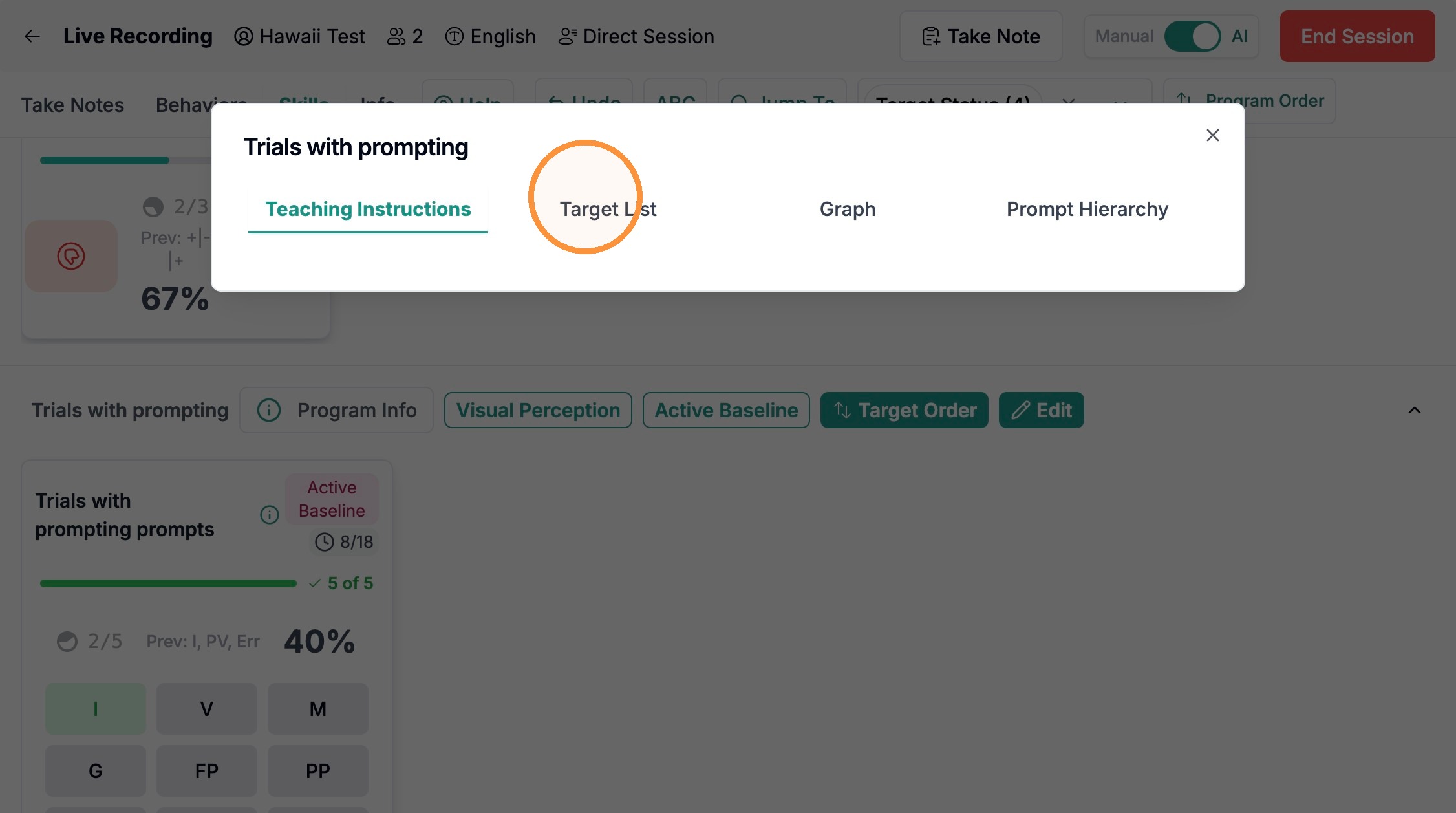
The panel's tabs:
Teaching Instructions — the written protocol (goals, antecedent/consequence strategies, and more).
Target List — the numbered targets in the program with their descriptions.
Graph — the program's data visualization (empty until data is collected).
Prompt Hierarchy — for prompted skill programs only: the ordered list of prompt levels from most to least independent.
The Target List tab inside the Program Info panel.

The Prompt Hierarchy tab: “List of prompts for this program from highest to lowest independence.”

TIP The tabs a program shows depend on its type. Behavior and interval programs show Teaching Instructions, Target List, and Graph; only prompted skill programs add the Prompt Hierarchy tab.
4. Programming hints and protocols
“Programming hints” is the written guidance that tells technicians how to run a program. In Alpaca this lives in a few connected places:
Protocols (program & target level) — the main source of Teaching Instructions. Edit them from a program's Protocols tab.
The programming-hints document — a free-text document for caregiver-facing notes, started with “Initialize Programming Document.”
The client-level Programming Hints tab — a client-wide space for programming notes, in the client's top row of tabs.
Editing protocol text
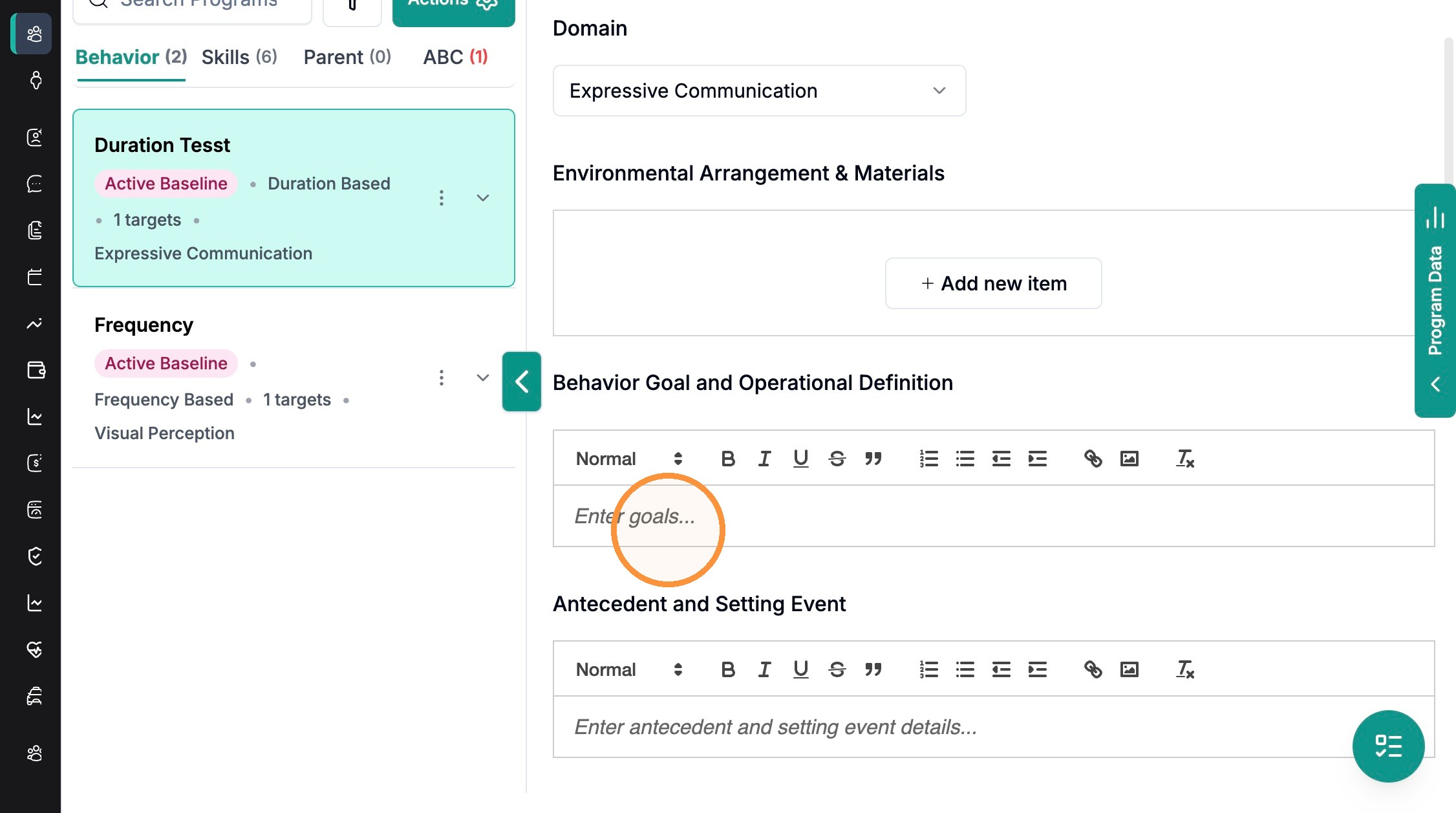
Step 1. Open a program's Protocols tab and click Edit to set program-level fields. Behavior Goal and Operational Definition, Antecedent and Setting Event, Functions of Behaviors and Behavior Plan, Antecedent Strategies, and Consequence Strategies.
Program-level protocol fields.
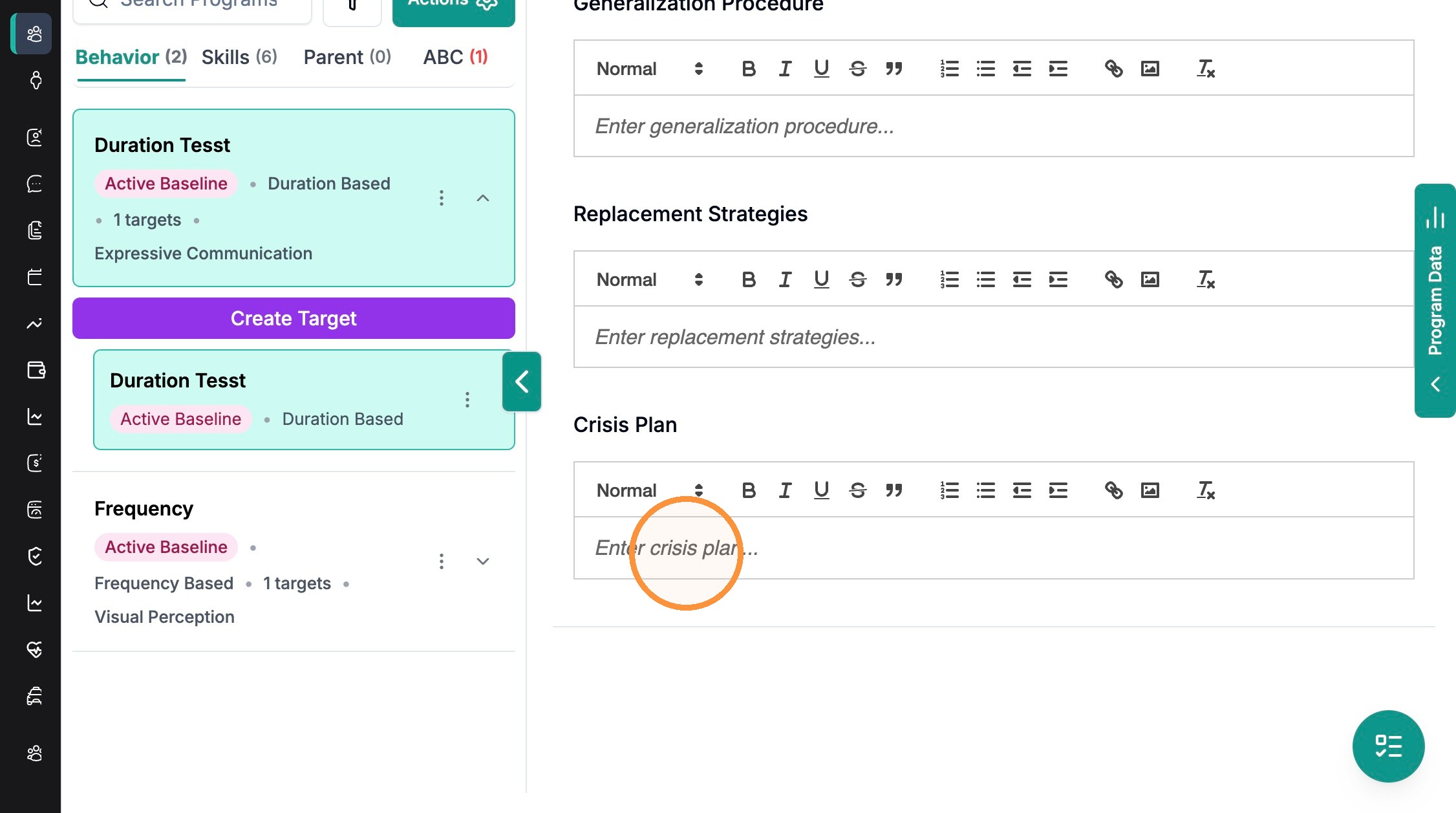
Step 2. Select a target and click Edit under “Teaching Instructions” for target-specific guidance. Adds Generalization Procedure, Replacement Strategies, and Crisis Plan.
Target-level fields: Generalization Procedure, Replacement Strategies, and Crisis Plan.
Whatever you write here is exactly what technicians read in the Program Info panel's Teaching Instructions tab during a session.
How the protocol appears to a technician: the Teaching Instructions tab of the Program Info panel.

5. Chaining methods (backward, forward, total task)
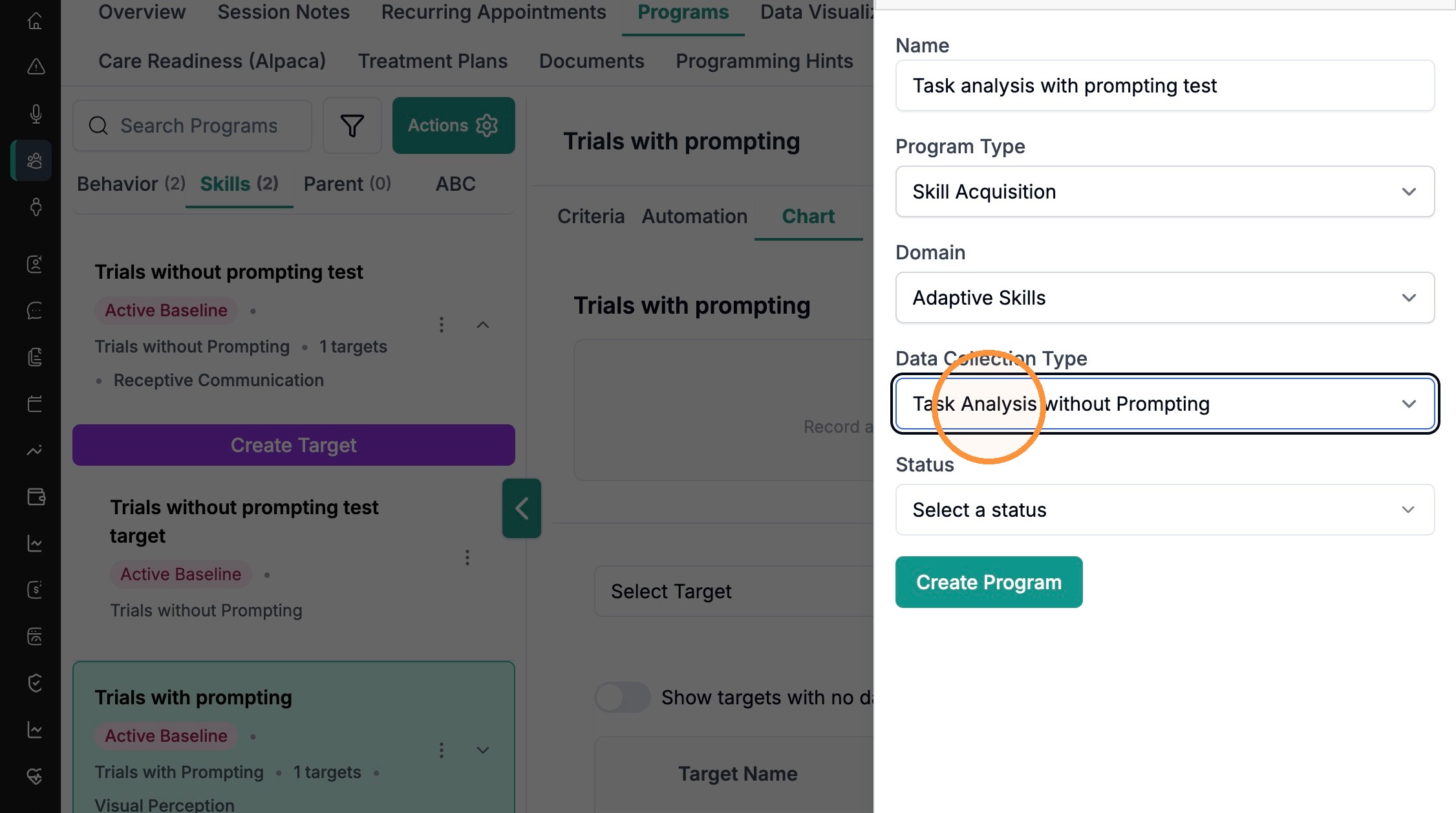
Chaining applies to Task Analysis programs — programs that break a skill into a sequence of steps (for example, hand-washing). In Alpaca, choose a Task Analysis data-collection type when you create the program:
Task Analysis with Prompting — adds a Prompt Hierarchy so technicians record the prompt level used on each step. Mastery is measured as “% independence.”
Task Analysis without Prompting — records each step simply as correct/incorrect, with no prompt hierarchy.
“Task Analysis with Prompting” — choosing it reveals the Prompt Hierarchy list.

“Task Analysis without Prompting” — the same form with no Prompt Hierarchy.
The chaining method decides the order in which the learner is taught the steps. The three standard methods are:
Forward chaining — teach step 1 to mastery first, prompting the rest, then add step 2, and so on from the beginning of the chain.
Backward chaining — the technician completes all steps except the last; the learner masters the final step first, then works backward so each new step ends in the natural reinforcer.
Total task — the learner attempts every step each session, with prompting as needed on any step. This is the most common default for learners who can attempt the whole chain.
NOTE Alpaca captures the task's steps and (for prompted programs) the prompt levels, and measures mastery as “% independence.” It does not have a separate “chaining method” dropdown — record which method you're using (forward, backward, or total task) in the program's Teaching Instructions / Protocols so every technician runs the chain the same way.
Frequently asked questions
Q: What's the difference between the four program types?
A: Skill Acquisition teaches a new skill (targets increase). Behavior Reduction decreases a challenging behavior (targets decrease). Replacement Behavior teaches an appropriate behavior that serves the same function as a challenging one. Parent Training tracks goals you work on with a caregiver. The type you pick sets the target's default direction and which sub-tab (Skills, Behavior, or Parent) the program appears under.
Q: Why do some data-collection types show extra settings?
A: The form adapts to what the data type needs. Choosing a prompting type (Trials with Prompting or Task Analysis with Prompting) reveals a Prompt Hierarchy you can reorder or trim. Choosing Intervals reveals Interval Length, Interval Type (Partial or Whole Interval), and Auto Start Interval. Simpler types like Frequency, Duration, and Likert Scale show no extra settings.
Q: How do I choose between backward, forward, and total task chaining?
A: Use total task when the learner can attempt every step of the chain in one sitting (with prompts as needed) — it's the most common choice. Use forward or backward chaining when the chain is long or difficult and you want to build it one step at a time; backward chaining is often preferred because the learner always finishes the chain and contacts the natural reinforcer. Whichever you pick, set up a Task Analysis program and document the method in the Teaching Instructions.