Electronic Visit Verification (EVV) for Medicaid
Last updated: July 21, 2026
Overview
Electronic Visit Verification, or EVV, is a system states use to confirm that in-home ABA sessions actually happened. As an in-home BCBA, RBT or BT, this mainly means you need to clock in and out on time. If EVV is missing or wrong, the claim can be denied and the family’s care can be delayed. Your accuracy keeps sessions compliant, protects your hours, and ensures the clinic gets paid on time.
Key Takeaway:
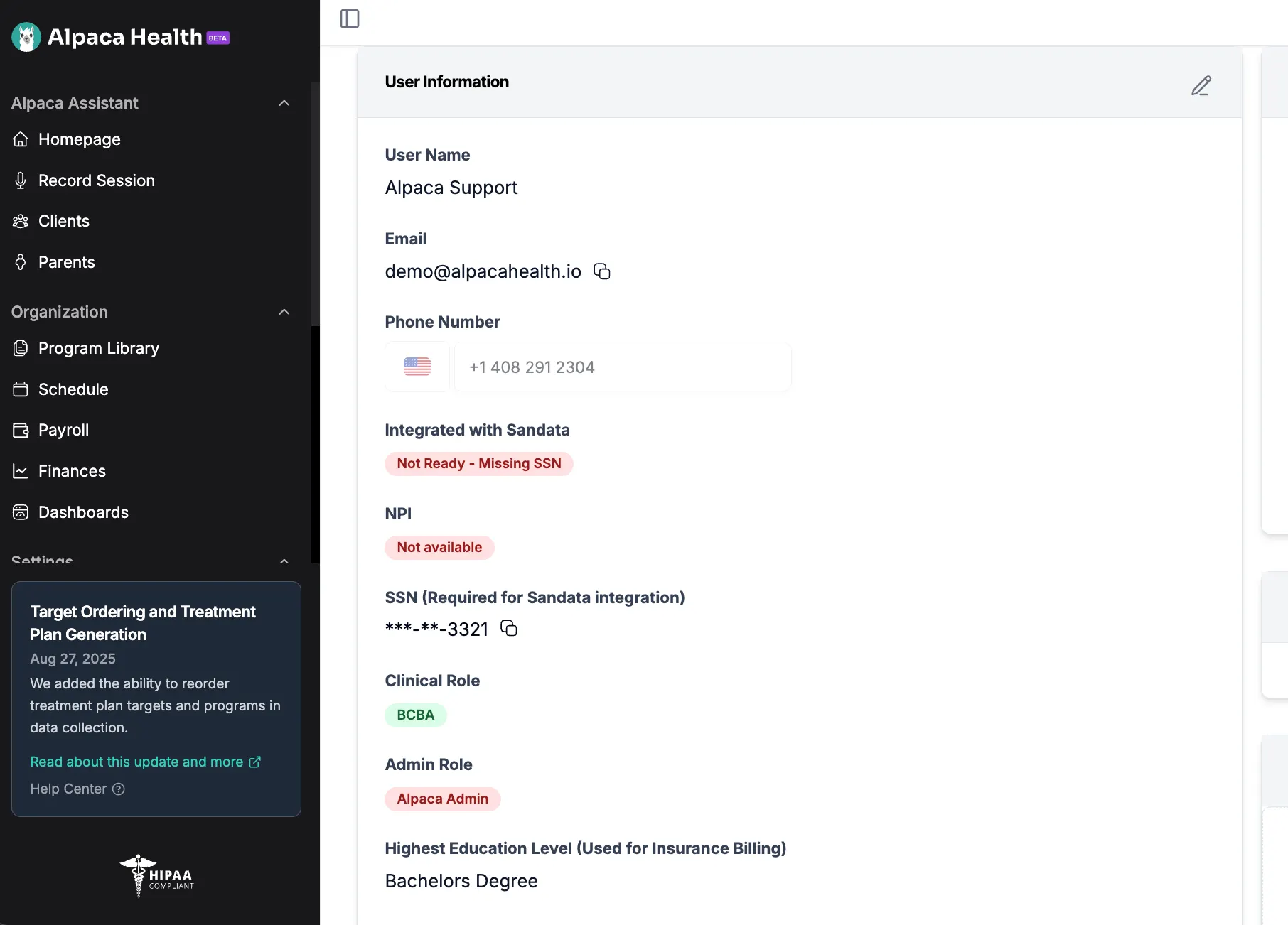
Add your social security number in "My Profile" to set up EVV
The second you get to a family's home, start the session in Alpaca to "clock-in"
After you end a session and review the note/data collected in the session for accuracy, you should click Clock Out.
Setting Up EVV
As an employee, you will need to fill out a set of required information for Alpaca to integrate with the state EVV Solution.
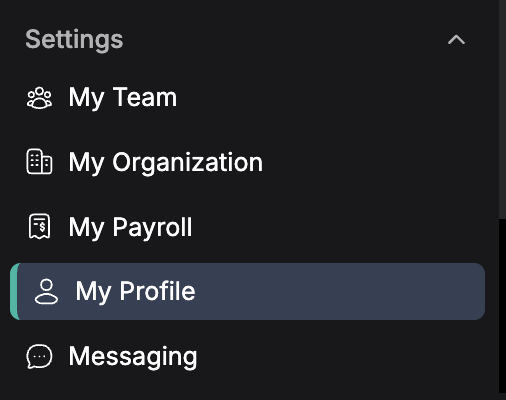
Step 1: Go to the My Profile page
Step 2: Fill out your SSN by using the “pencil button” on the right hand side
Starting a session
Go to the Schedule Page or the Home Page
Decide on the session you want to start
Tap Start Session to start the session
Note: this will start the “Clock” with EVV sandata to calculate time. Sandata sessions have a green banner on top indicating the start time.
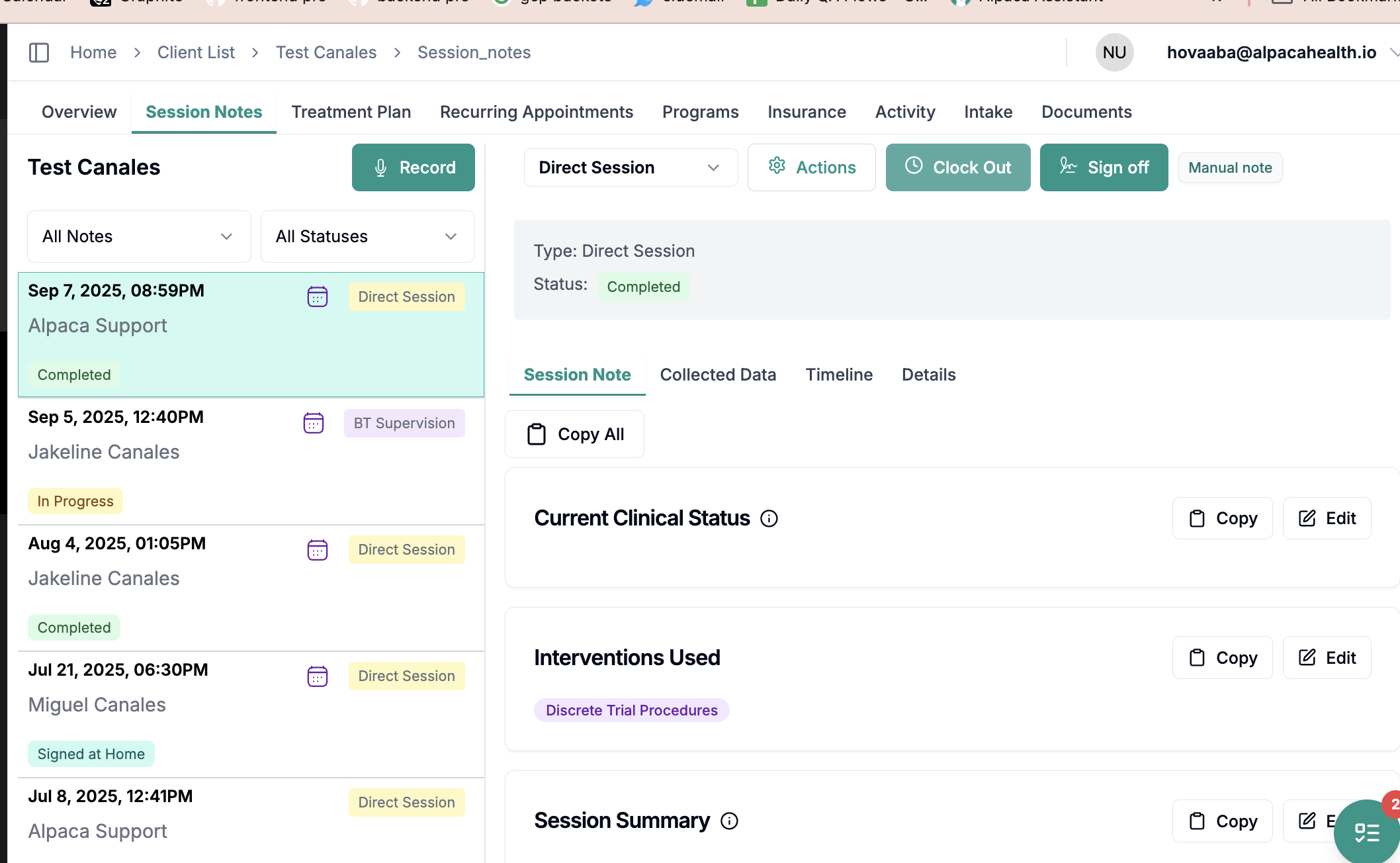
Once you are done, click End Recording and then tap “Clock Out”
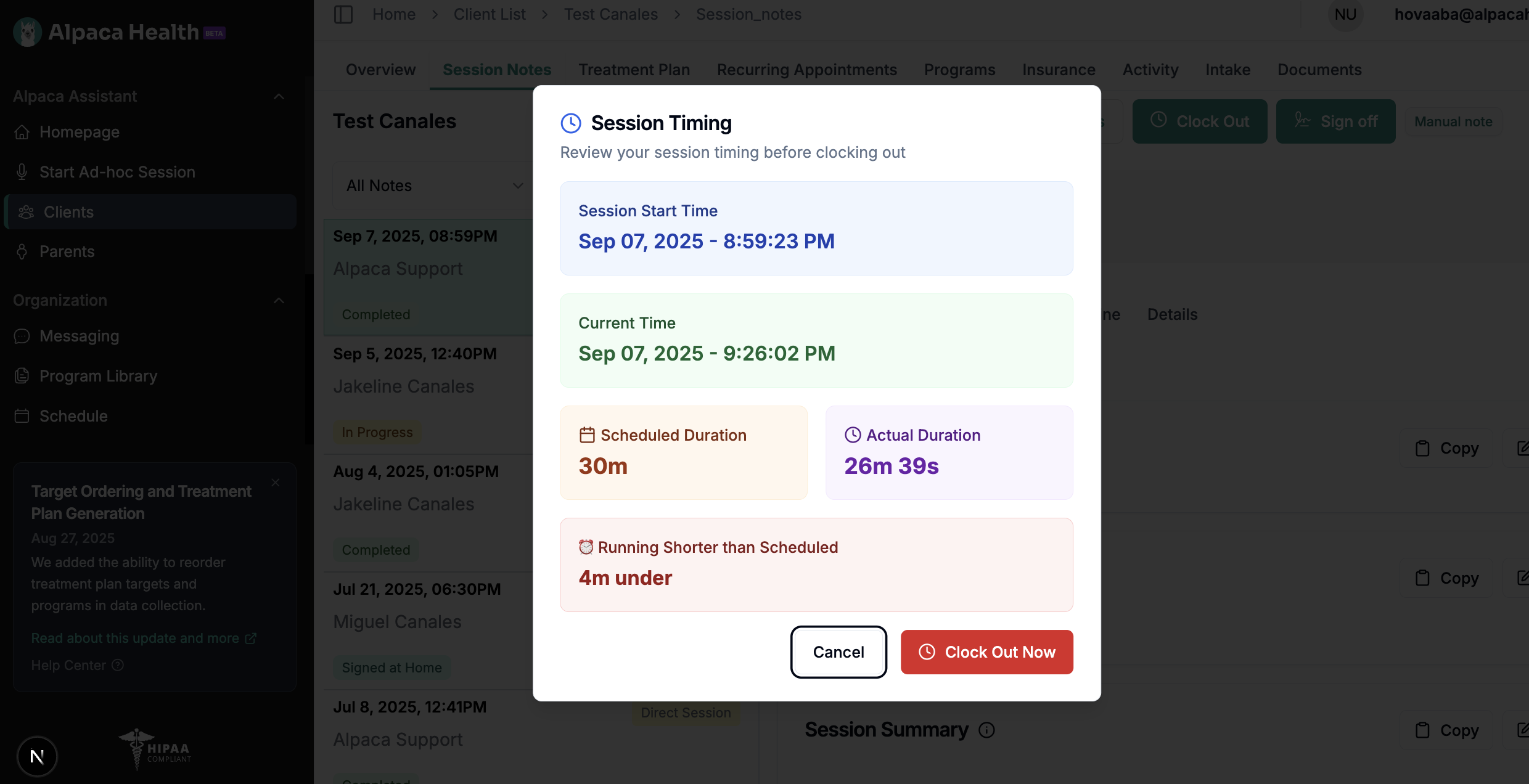
Clocking out
Clocking out is how we determine how long the session is, and how much we should bill for. We will not be able change this afterwards, so please make sure to clock out at the appropriate time.